You know pH = −log10[H+]. You enter −ln(0.001) and get 6.91 instead of 3. The chemistry was right; the log base was wrong. Small errors like this are worth finding during practice, especially if you have spent years using spreadsheets instead of a scientific calculator.
Start with the three entry checks, then use the function table to find a workflow you need. Each worked example gives you the setup, the button or menu path, an expected result, and a mistake to check.
Updated September 12, 2026. Button paths below follow the TI-36X Pro guidebook. Exam-day instructions follow the May 2026 NCEES Examinee Guide. Recheck the NCEES calculator policy for your exam date and location.
Which calculators are approved for the FE exam?
The NCEES-approved families are Casio fx-115 and fx-991, HP 33s and HP 35s, and Texas Instruments TI-30X and TI-36X. Check the exact model name against the current policy; a similar-looking calculator is not enough. International examinees should also check the rules for their test location.
The Examinee Guide permits one approved calculator in the testing room. Spare calculators and covers stay with your personal belongings. An on-screen TI-30XS is also available during the exam. An unapproved handheld cannot be used, but that does not mean you have no calculator available.
| Model | Useful capabilities | How to decide |
|---|---|---|
| TI-36X Pro | Numeric, quadratic/cubic and system solvers; matrices through 3×3; statistics; complex arithmetic. | Choose it if you want to follow the physical-key walkthroughs on this page. |
| Casio fx-115ES Plus | Equation solving, matrices, vectors, complex arithmetic and numerical integration. | Keep it if its menus already feel familiar. TI button instructions do not transfer directly. |
| Casio fx-991CW | Numeric and equation solvers, statistics, complex calculations and matrices through 4×4. | Compare the menu workflow with the TI using a problem you can already solve. |
| Other approved models | Capabilities vary even within the same approved family. | Check the manual for your exact suffix. Approval tells you what you may bring, not which functions it has. |
Feature references: Casio fx-115ES Plus, Casio fx-991CW, and the TI guidebook linked above. These are feature comparisons, not a measured speed ranking.
When is the TI-36X Pro a good choice?
The TI-36X Pro fits this guide because its equation, matrix and statistics tools cover the examples below, and our Guided Calculator Drills teach its workflows. There is no reason to replace a familiar approved Casio solely to match our recommendation. A correct setup and a checked display matter more than having one additional menu.
If you are buying a TI, leave enough study sessions to learn it before a timed mock. Rehearse one familiar equation, one statistic and one unit conversion before deciding that a new model suits you.
Affiliate disclosure: If you buy through our TI-36X Pro Amazon link, we may earn a commission at no extra cost to you. The drills below work without making a purchase through this site.
Practice the entry, then the engineering problem
Use a problem with a known answer to separate a calculator mistake from a method mistake. Try these before moving to a solver. If you cannot predict the order of magnitude, pause and write the expression on paper first.
Three entry checks
- Parentheses: enter
1 ÷ (2 × π). Expect about 0.159155. Without parentheses,1 ÷ 2 × πgives about 1.570796. - Scientific notation: enter 4 7 EE 3 × 2 . 2 EE (-) 6 enter. Expect 0.1034. For a 47 kΩ resistor and 2.2 µF capacitor, this is the time constant in seconds.
- Log base: for pH at [H+] = 0.001 mol/L, press (-), the ln log key twice until
log(appears, then 0 . 0 0 1 ) enter. Expect 3.
Self-check: what would a result of 6.9078 on the pH example tell you?
You evaluated −ln(0.001). The TI-36X Pro uses one multi-tap ln log key: once selects ln, twice selects log. The equation needs base 10.
Now try a free practice set for your discipline. Before opening the solution, write whether you needed a formula, a handbook search, a calculator operation, or no calculation. That distinction tells you what to practice next.
Choose the function from the problem cue
Start with what the question asks you to find. A matrix in the prompt does not automatically mean you need the matrix editor; a two-equation system may be easier to solve directly or in sys-solv.
| Problem cue | Possible next step | Check before entering |
|---|---|---|
| One unknown remains in an equation that is awkward to rearrange. | Numeric solver | Both sides of the equation, allowed domain and a sensible starting value. |
| Find roots of a quadratic or cubic. | Polynomial solver | Descending powers and zeros for missing terms. |
| Two or three simultaneous linear equations. | System solver | Same variable order in every row. |
| Determinant, inverse or matrix product. | Matrix editor | Dimensions and row order; a singular matrix has no inverse. |
| Magnitude and angle from horizontal/vertical components. | Rectangular/polar conversion | Signs, quadrant and degrees versus radians. |
| Spread of measured values, probability between bounds, or percentile. | Statistics or distributions | Sample versus population, list contents and parameter units. |
| pH, decibels, half-life or exponential growth. | Logarithms/exponentials | Base 10 versus base e; dimensionless ratios inside a log. |
| Metric prefixes or very large/small values. | EE and unit conversion | Convert all inputs into one consistent unit system. |
| Definite integral or slope at a point. | Numeric calculus | Bounds, variable, continuity and radians for the usual trig derivatives. |
| Dot product, cross product or vector magnitude. | 2nd then the key labeled vector; use the EDIT and MATH tabs. | Match vector dimensions and distinguish a scalar dot product from a vector cross product. |
| Convert binary, decimal or hexadecimal. | mode selects DEC/HEX/BIN/OCT; 2nd then base n opens conversion options. | The input base and output base are separate choices. Restore DEC before ordinary arithmetic. |
If the formula is the missing step, start with the FE Handbook search guide. Search a specific term such as sample standard deviation or first-order reaction, then check the symbols and units before typing. A solver cannot choose the engineering model for you.
TI-36X Pro worked keystrokes
How to read these steps: 2nd followed by a blue function label means press the physical key with that label printed above it. Menu names and input values are written as text; use the arrow keys to highlight a named choice and enter to select it. The multi-tap variable key selects x on its first press. Check your display before continuing.
Start in decimal number mode. Choose DEG for an angle specified in degrees and RAD for radians. The labels are DEG and RAD in mode; do not assume one setting fits every example.
1. Numeric solver: one root needs a check
Use num-solv when the equation is known and rearranging it is awkward. It finds a numerical solution from the values you supply; it is not a guarantee of every root or convergence for every equation.
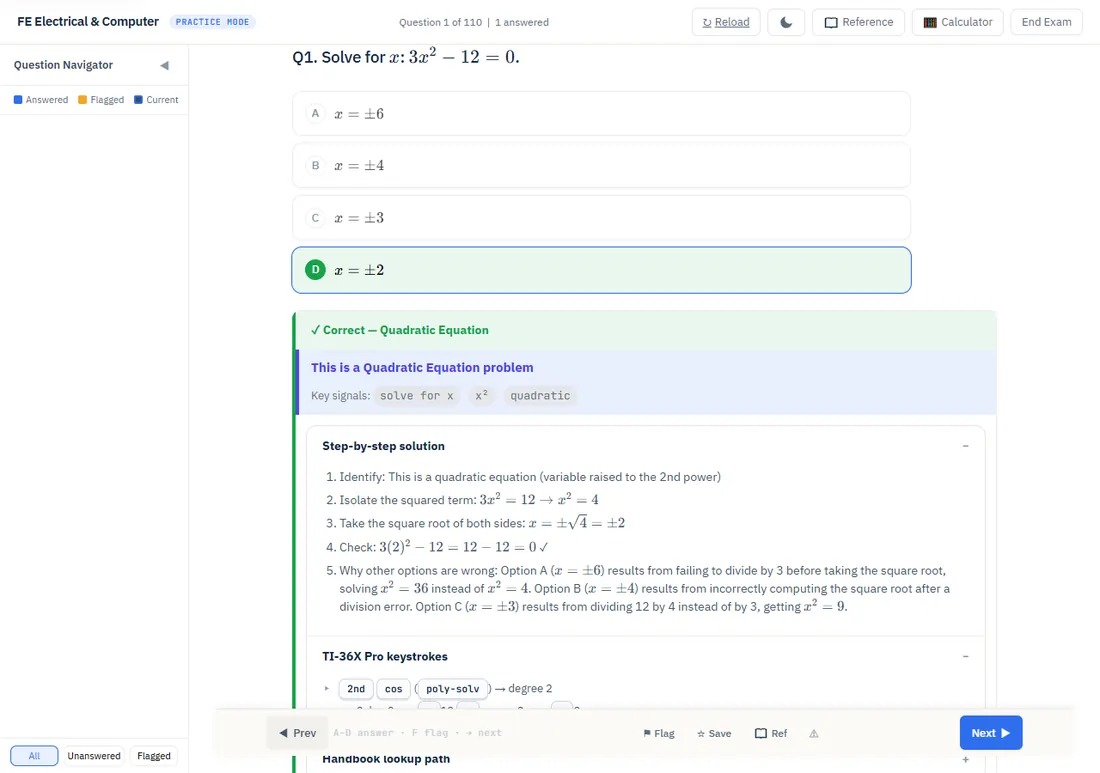
Try it: 3x² − 12 = 0
- Press 2nd sin to open num-solv.
- Enter
3x² − 12on the left side and0on the right side of the equation. Use the variable key once for x and x² for its square. - Press enter to reach the variable screen. Set x to an initial value of 1, select x as the variable to solve, and choose SOLVE with enter.
- Expect x ≈ 2. Check the displayed Left−Right residual is near zero and substitute: 3(2)² − 12 = 0.
Mistake to catch: stopping after one root. Here x = −2 also satisfies the equation. A negative starting value can find it, but different guesses are not proof that you found every root.
This example is faster to solve by inspection: x² = 4. Use it to learn the controls, then choose num-solv only when it helps with a harder setup. A physical quantity such as length may also rule out a mathematically valid negative root.
2. Polynomial solver: enter the coefficients, including zeros
Poly-solv handles quadratic and cubic equations. Put the equation in descending powers with zero on the other side before entering coefficients.
Try it: eigenvalues of A = [[4, 2], [1, 3]]
The characteristic equation is (4 − λ)(3 − λ) − 2 = λ² − 7λ + 10 = 0.
- Press 2nd cos for poly-solv.
- Highlight the quadratic equation and press enter. Select the displayed equation, rather than pressing 2 because its degree is two.
- Enter coefficients 1, −7, 10 in descending-power order. Use (-) for a negative coefficient and the arrow keys to move between fields.
- Choose SOLVE and press enter. The roots are 5 and 2; use the result toggle if a different exact/decimal form appears.
Independent check: 5 + 2 = 7, the matrix trace, and 5 × 2 = 10, its determinant. Substitute either root into the polynomial.
Self-check: what coefficients represent x³ − 8 = 0?
1, 0, 0, −8. Keep the missing x² and x terms. Omitting their zeros changes the polynomial.
For higher-degree equations, this menu is not an all-roots solver. Use algebra, factorization, or a numerical method suited to the problem, and check the allowed domain.
3. System solver: keep the variable order fixed
Use sys-solv for two or three simultaneous linear equations. Rearrange every equation into the same variable order before entering its row.
Try it: 2x + 3y = 13 and 4x − y = 5
- Press 2nd tan for sys-solv.
- Highlight 2×2 and press enter. Do not select menu item 2 to mean two equations; that item selects 3×3.
- Enter the first row as 2, 3, 13, pressing enter between fields.
- Enter the second row as 4, −1, 5. The coefficient of −y is −1, not a missing value.
- Choose SOLVE and press enter. Expect x = 2, y = 3.
Check both rows: 2(2) + 3(3) = 13, and 4(2) − 3 = 5. A calculator result does not catch a coefficient copied from the wrong equation.
If the calculator reports no solution or infinitely many solutions, inspect the equations instead of repeatedly changing a starting value. Unlike num-solv, a linear system does not need a guessed root. The solver stores its results in x, y and z, so check those variables before reusing earlier stored values.
4. Matrix editor: dimensions first, then the operation
Use the matrix editor when the question asks for a determinant, inverse or matrix operation. A 2×2 determinant also makes a quick independent check of your entries.
Try it: det([[2, 1], [3, 4]])
- Press 2nd, then the key labeled matrix above it. This is not 2nd ln log.
- Move to EDIT, choose [A], and set rows = 2, columns = 2.
- Enter the first row 2, 1 and second row 3, 4. Read the displayed matrix back row by row.
- Press 2nd then quit to return home. Reopen matrix, select its MATH tab and Determinant.
- Reopen matrix, choose [A] from NAMES, close the parenthesis and press enter. The expression is
det([A]); expect 5.
Check: 2 × 4 − 1 × 3 = 5. For an inverse, first check that the determinant is nonzero.
The TI supports matrices up to 3×3. A matrix product must also have compatible dimensions. Write those dimensions beside your setup so a menu error does not turn into random re-entry.
5. Rectangular to polar: check the quadrant
For components x and y, R→Pr returns the magnitude and R→Pθ returns the angle. These functions are in the R↔P tab of the math menu, not a separate second-function menu.
Try it: z = 3 + j4
- Press mode, select DEG and return home.
- Press math, move to the fourth tab, R↔P, and select 3: R→Pr(.
- Enter
3,4): use 2nd . for the comma, then press enter. Expect magnitude 5. - Open math → R↔P again and select 4: R→Pθ(. Enter
3,4)and press enter. Expect about 53.1301°.
Check: √(3² + 4²) = 5, and both components are positive, so the angle belongs in quadrant I. The reverse functions P→Rx and P→Ry recover components from magnitude and angle.
Self-check: what changes for −3 + j4?
The magnitude stays 5; the angle becomes about 126.8699° in quadrant II. A plain arctan(y/x) needs a quadrant correction; the rectangular-to-polar function uses both component signs.
Use the angle unit required by the question. In RAD mode, the first example's angle is about 0.927295 radians, which is the same direction expressed differently.
6. Statistics: sample and population give different answers
Choose the statistic from the wording of the question. Sample standard deviation uses n − 1; population standard deviation uses n. Neither is the right choice for every exam problem.
Try it: five voltage measurements, 10, 12, 14, 11, 13 V
- Press data. If L1 contains old entries, press data again and choose the option to clear L1. Clearing only a few visible cells can leave extra observations behind.
- Enter 10, 12, 14, 11, 13 into L1, moving down after each entry. Check that the list contains exactly five observations.
- Press 2nd data to open STAT-REG; select 2: 1-Var Stats.
- Choose data list L1 and frequency ONE, then calculate with enter.
- Read n = 5, mean 12 V, sample Sx ≈ 1.58114 V, and population σx ≈ 1.41421 V.
Check by hand: squared deviations from 12 are 4, 0, 4, 1, 1, totaling 10. Sample: √(10/4). Population: √(10/5). A wrong n usually points to stale data or a frequency setting.
For distributions, press 2nd data, then move right to DISTR. Fill the labeled input fields rather than copying TI-84 comma-argument syntax:
| Question | Function and inputs | Expected check |
|---|---|---|
| Probability between −1 and 1 for a standard normal variable. | Normalcdf: mu = 0, sigma = 1, LOWERbnd = −1, UPPERbnd = 1; calculate. | About 0.682689, a probability between 0 and 1. |
| Median of a normal distribution with mean 100 and standard deviation 15. | invNorm: area = 0.5, mu = 100, sigma = 15; calculate. | 100, a value in the original units. It is a z-score only when mu = 0 and sigma = 1. |
| Exactly k successes versus at most k successes in n independent trials. | Binompdf for exactly; Binomcdf for the cumulative probability. Enter the trial count, success probability and k. | Confirm that the wording asks for one outcome or a sum of outcomes. |
Keep the handbook's distribution definitions available while practicing. The calculator evaluates the selected model; it does not decide whether a normal or binomial model fits the question.
7. Logarithms: one multi-tap key, two bases
The physical ln log key gives ln on one press and log on two presses. The separate ex 10x key similarly selects ex or 10x. It is its own primary key, not the second function of ln.
Try it: first-order half-life of 20 minutes
Use k = ln(2)/20. Press ln log once, then 2 ) ÷ 2 0 enter. Expect 0.0346574 min−1.
Check the model by substituting kt = ln(2): e−kt = 0.5, so half remains after 20 minutes. Keep the time unit attached to k.
Mistake to catch: the pH example earlier needs log base 10; this half-life example needs ln. Do not copy the same number of key presses between them.
For another base, use change of base. To evaluate log2(8), enter ln(8) ÷ ln(2); expect 3. The TI-36X Pro does not have the logBASE shortcut found on some other calculators.
For a voltage amplitude ratio of 2.5/0.50 = 5 at equal impedances, enter 20 × log(2.5 ÷ 0.50), selecting log with two presses. Expect about 13.9794 dB. A power ratio uses 10 log10, so decide which ratio the formula describes before entering it.
8. Scientific notation: enter the exponent once
The EE key enters a power-of-ten exponent as part of the number. Do not add a second multiplication by 10 after using EE.
Try it: 1.8 × 10⁻⁵
Press 1 . 8 EE (-) 5 enter. The entered number is 1.8E−5; NORM may show 0.000018. These are the same value.
Check the prefix: 47 kΩ = 47E3 Ω, 2.2 µF = 2.2E−6 F, and 3.5 MPa = 3.5E6 Pa. Use the negative-sign key (-) inside a negative exponent.
Press mode to choose NORM, SCI or ENG. Engineering notation uses exponent multiples of three, which match metric prefixes. Display notation does not perform a unit conversion for you or change the stored precision.
For a built-in conversion, use 2nd then the key labeled convert, select the category and direction, and check the units. For example, 10 ft → m should give 3.048 m. The FE Handbook supplies factors for conversions beyond the calculator's menu. For area and volume, square or cube a length conversion factor as required.
9. Numeric calculus: verify a bound or a point
The numeric integral returns a definite integral, and the numeric derivative estimates a slope at a specified point. Neither gives a general symbolic antiderivative or derivative.
Try it: integrate 4x³ + 6x² from 0 to 1
- Press 2nd, then the key labeled with the integral symbol.
- Use the arrow keys to fill lower limit 0, upper limit 1, and expression 4x³ + 6x². Use x as the integration variable.
- Move out of the final expression field and press enter. Expect approximately 3.
Check by hand: [x4 + 2x³]01 = 3. This example is also simple enough to solve directly without a numeric integration.
For a derivative check, open 2nd then the derivative label. Enter f(x) = x², evaluation point x = 3, and use the default step H. Expect about 6, agreeing with f′(x) = 2x. At a discontinuity or with a poorly chosen step, a numerical result needs extra care. Use RAD for the standard calculus identities involving sine and cosine.
Measure these operations on your own calculator during practice. Do not assume a fixed processing time or keep waiting on an unfamiliar setup while easier questions remain. The pacing guide explains how to flag and return within the current exam section.
10. Memory, reset and a final display check
Keep full-precision intermediate values and check modes before a calculation. A previous system-solver result or a statistics list can survive into the next problem.
- Store: after calculating a result, press sto→, use the multi-tap variable key to choose a variable, and press enter. To recall its stored value, press 2nd then recall and select the variable. There is no separate physical RCL key.
- Reuse the last answer: beginning the next calculation with an operator uses the previous answer automatically. Confirm it is the intended result rather than the answer to an unrelated check.
- Reset deliberately: 2nd then reset, followed by 2, restores defaults and clears stored variables, lists and history. Rehearse this before exam day and then restore your intended settings. Resetting is not a substitute for checking DEG/RAD on the next problem.
- Read the whole expression: check signs, parentheses, powers and units. A plausible display alone does not prove a correct setup.
Practice these steps in Guided Calculator Drills
In the study app, open Guided Calculator Drills and choose a track. Use its Function Guide tab when you need a reminder. The built-in calculator supports working through the lesson; also rehearse on your own approved handheld because the web controls and physical keys differ.
Repeat one operation without the displayed steps, then solve a related engineering question. If the keys are correct but the setup is wrong, review the method or handbook entry before doing more repetitions. Full-app access is separate from the public free practice sets.
What calculator skills show up in our practice library?
Basic entry deserves practice even when the advanced menus get more attention. In our September 12, 2026 source-library snapshot, 3,155 of 5,922 FE questions carry the basic-arithmetic tag. Use this as a description of our material, not a prediction of your NCEES exam.
| Tagged skill | Questions / 5,922 | Share |
|---|---|---|
| Basic arithmetic | 3,155 | 53.3% |
| Conceptual / no calculator | 1,707 | 28.8% |
| Powers and roots | 1,107 | 18.7% |
| Unit conversion | 405 | 6.8% |
| Scientific notation | 353 | 6.0% |
| Memory store/recall | 328 | 5.5% |
| Logarithms | 176 | 3.0% |
| Trigonometry or inverse trigonometry | 143 | 2.4% |
| Matrices | 74 | 1.2% |
| Numeric integral or derivative | 63 | 1.1% |
| Numeric, polynomial or system solver | 53 | 0.9% |
| One-/two-variable statistics | 50 | 0.8% |
| Complex arithmetic | 36 | 0.6% |
How counted: seven FE source banks, including the shared bank once; PE banks excluded. Each question is counted at most once within a grouped row, even if it has several solver or trig tags. Rows overlap and do not sum to 100%. Tags describe authored practice workflows, not measured student behavior or official exam frequencies. This snapshot pools disciplines; use your own discipline and missed-question history to choose drills.
For the same tags broken out by exam, including all six PE exams, and a practice-first order for each, see TI-36X Pro skills for the FE and PE exam.
How do you keep calculator work from consuming the question?
- Name the unknown and units. Predict a rough size or sign before entering anything.
- Choose the method. Decide whether you need a direct calculation, a reference lookup, or a solver. Do not browse menus while still deciding which equation applies.
- Enter once and inspect. Check the expression before enter, then compare the result with your rough estimate.
- Move on when the method is stuck. Make an answer choice where applicable, flag the question, and return while you are still in that section. Review the section-boundary and pacing rules before a timed mock.
After practice, label the cause of a miss: method, lookup, keys, units or time. That is more useful than repeating an entire subject when you only needed to fix scientific notation.
A calculator practice block that fits a short evening
Try this 15-minute block. It is a practice format, not a claim that 15 minutes makes a function exam-ready. Use your actual handheld from the start of preparation.
| Time | Do this | Keep one note |
|---|---|---|
| 3 minutes | Repeat one entry check with a known answer. | Which key or mode caused hesitation? |
| 5 minutes | Work one example from this page, then repeat without looking at the steps. | Can you explain why that function fits? |
| 5 minutes | Try a related question with different values. | Was the delay in the setup, search or entry? |
| 2 minutes | Read the explanation and record one correction. | Name the next drill rather than writing “study more.” |
Move fluent functions into mixed timed practice, where you must recognize the task without a menu label telling you the method. For a larger weekly plan, use the study-schedule guide; if you are rebuilding habits after years away, use the returning-engineer guide.
What should you prepare before exam day?
- Your approved calculator: inspect its display, keys and power during preparation. The TI-36X Pro uses solar power with a CR2032 battery backup; follow its manual if replacement is needed, then test the calculator again.
- The official reference handbook: download the version applicable to your exam from MyNCEES and practice searches alongside calculations. You do not need to buy a paper handbook to learn the search workflow.
- Representative practice: use the NCEES exam-prep catalog for official practice material and current prices. Compare your process as well as your answer.
- The check-in requirements: review the exam-day checklist and current Examinee Guide. Keep a backup calculator with stored belongings; do not plan on a second calculator at your desk.
Frequently asked questions
What calculators are approved for the FE exam?
The approved families are Casio fx-115 and fx-991, HP 33s and HP 35s, and TI-30X and TI-36X. Verify the current NCEES policy for your exam date and test location, including any international-location provisions.
Why is the TI-36X Pro a good FE exam calculator?
It provides numeric, polynomial and system solvers, matrix operations, statistics and complex arithmetic. It also matches the worked steps on this page. A familiar approved Casio is a reasonable choice; there is no universal speed advantage established here.
Can I bring a backup calculator to the FE exam?
The May 2026 Examinee Guide permits one approved calculator in the testing room and spare calculators with stored belongings. It also provides an on-screen TI-30XS. Follow staff instructions if you need help with a calculator problem.
Can I use the TI-36X Pro on the PE exam?
The TI-36X family is included in the NCEES calculator policy used for FE and PE exams. Recheck that policy before your PE date rather than assuming today's list will remain unchanged.
Should I leave the calculator in DEG mode?
Choose the angle unit required by the problem. DEG fits degree inputs; RAD fits radian inputs and the usual trigonometric calculus identities. Recheck the mode after a reset or another problem.
What should you practice next?
Pick the first operation above that you could not reproduce. Get the setup and display right, try a changed-value example, then use it in a mixed free practice set. If your difficulty is finding the equation or deciding when to stop, work on the handbook search or pacing decision alongside the calculator.
Exam-policy reminder: FE Test Prep is independent of NCEES and TI. Official policies and your calculator's guidebook control exam-day rules and device behavior; verify them for your exam date.
Try a question with your calculator beside you
Use a free practice set to check your setup and entry. The full study app adds Guided Calculator Drills, a Function Guide and explanations with calculator and handbook support.